Re: Trajectory Generation
URL: http://official-rtab-map-forum.206.s1.nabble.com/Trajectory-Generation-tp192p195.html
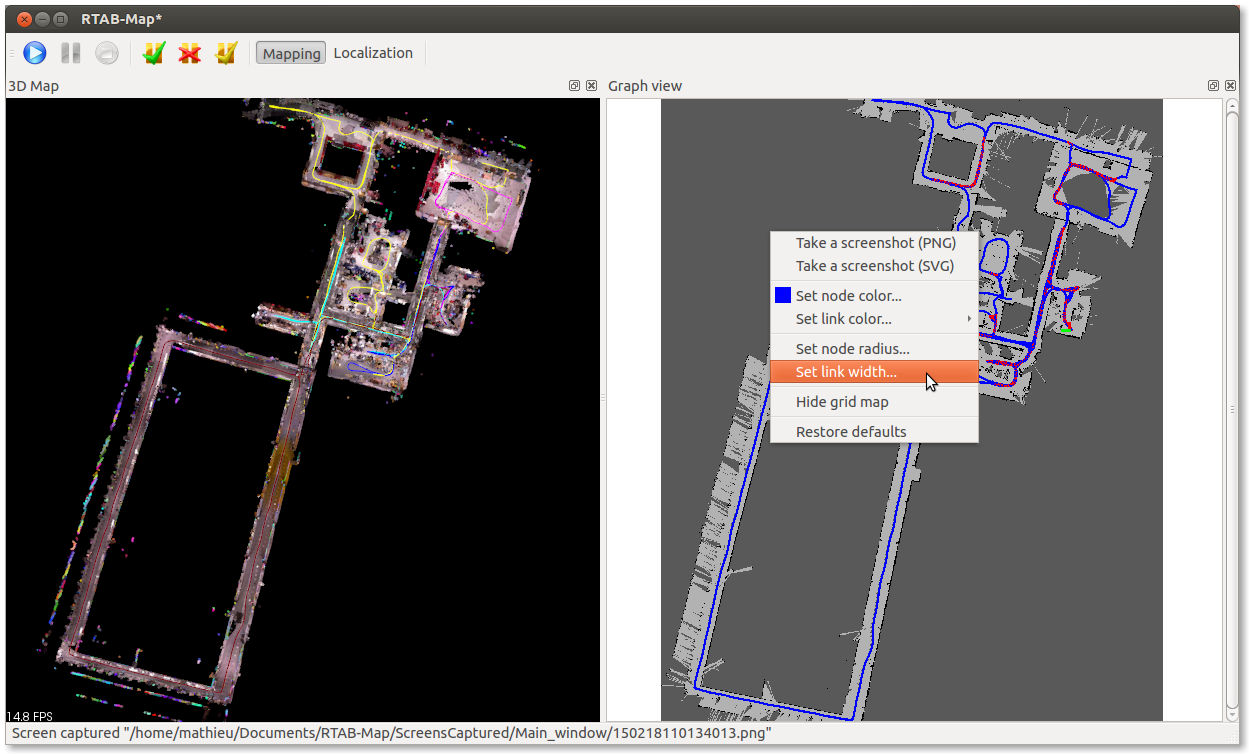
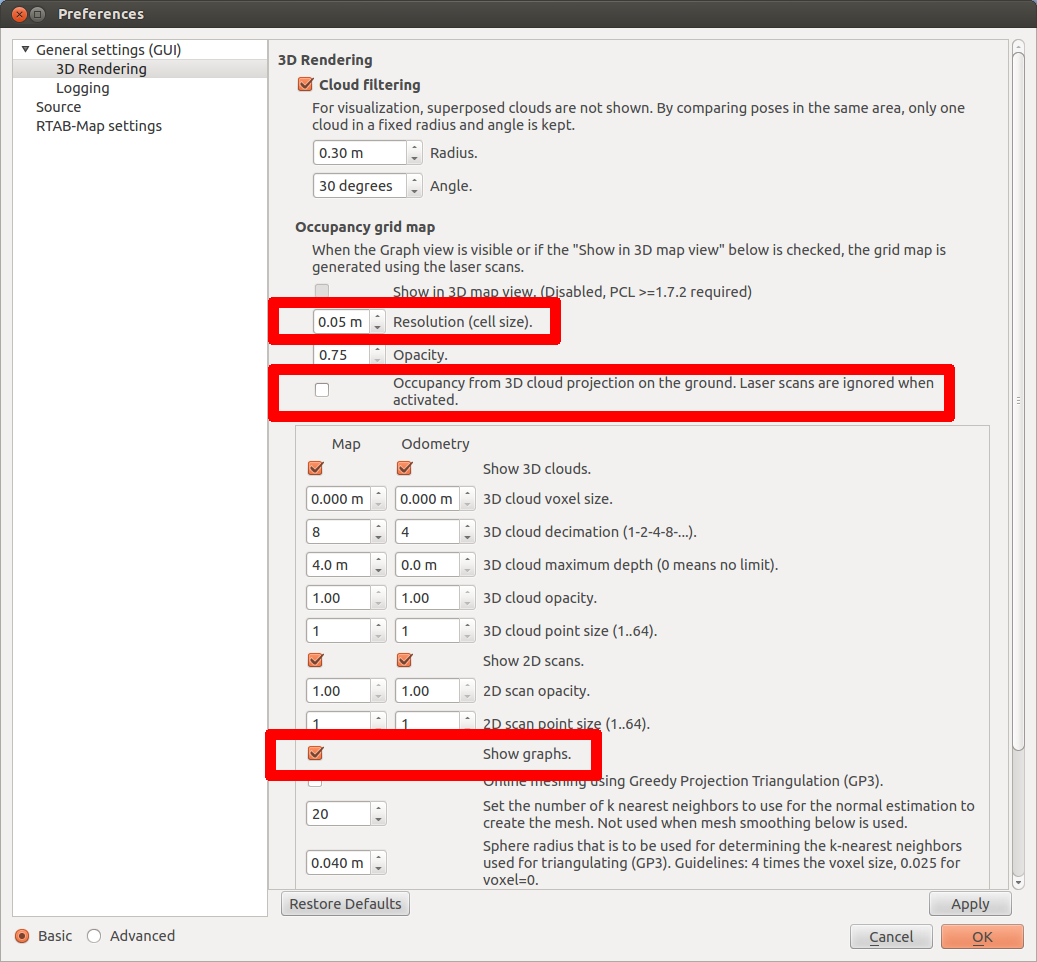
The trajectory should be shown by default (see the parameter "Show graphs"). For example, if you download the database 5MappingSessions_OnlineConstraint700ms.db from the Multi-session tutorial, you should have something like the screenshots below.
- Execute "rtabmap"
- File -> Open database...
- Make sure that 3D Map and Graph view panels are shown before the next step (see Window -> Show view)
- Edit -> Download all clouds (update cache)
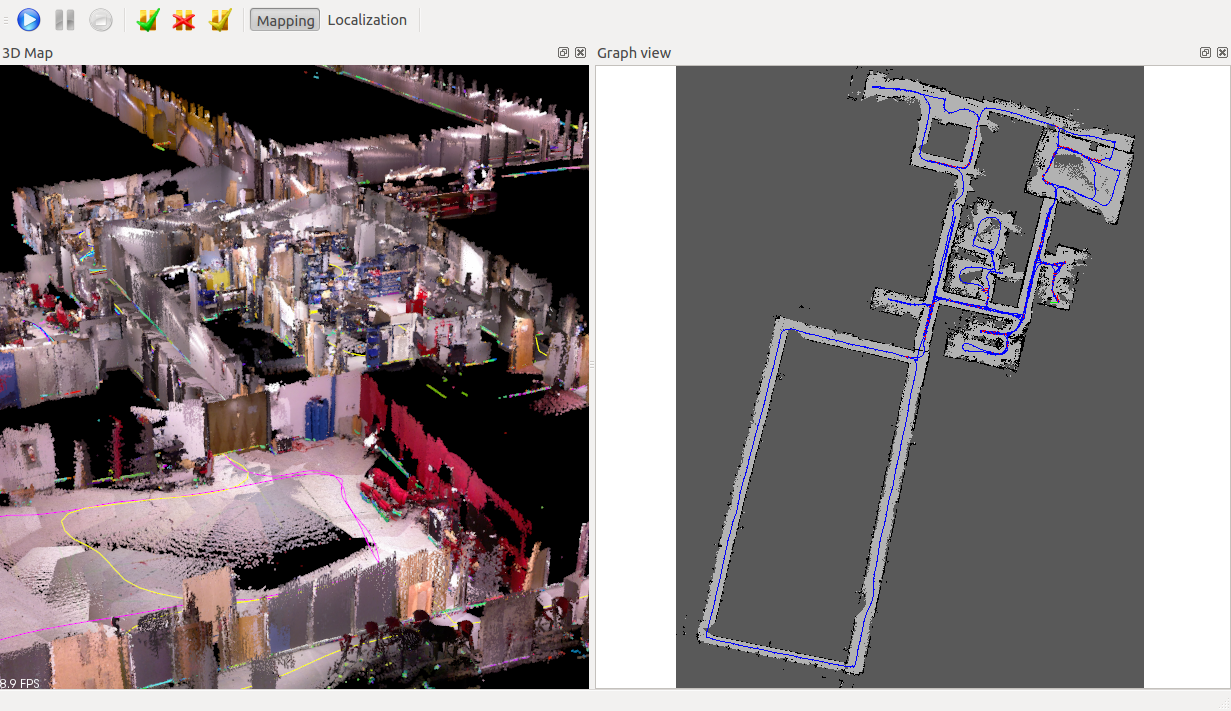
You should see the trajectory in both views. In the 3D map, the trajectory's color indicates a different mapping session. On the Graph view, you can set the line width for better exporting like in the paper. The grey map is created because there are laser scans saved in the database. If you don't have laser scans saved, you can show the projection map of the cloud on the ground like in the second image (see parameter "Occupancy from 3D cloud projection on the ground..."). To adjust the resolution of the grey map created, you can set the parameter "Resolution (cell size)" (one pixel/cell).
Last notes:
- For the problem when saving the graph, I opened an issue.
- Data recording doesn't save odometry, only the data. If you do a normal mapping, the odometry will be saved.
Occupancy grid map from laser scans (laser scans required):
Occupancy grid map from 3D cloud projection on the ground (no laser scans required):
Parameters used above:
| Free forum by Nabble | Edit this page |