Re: Losing odometry when doing fixed point scanning
URL: http://official-rtab-map-forum.206.s1.nabble.com/Losing-odometry-when-doing-fixed-point-scanning-tp4336p4533.html
Hi,
If you add the following at the beginning of the main, you may have more info about why they are not merged:
ULogger::setType(ULogger::kTypeConsole);
ULogger::setLevel(ULogger::kInfo);
In my triggerNewMap example above, as I said, it doesn't work because it cannot find transformation between the scans for the reasons I stated. As it cannot find transformations, it just adds the scans without linking them in the database. You can try the Constraints View in database viewer to add links between the scans. The difference between the databases is that in the first one there is only one map, while in the second there are 14 maps (1 for each scan) merged.
What triggerNewMap example does:
- Add scan to rtabmap with Identity pose
- Trigger a new map because the next scan doesn't have any space/time relationship with the previous scan (i.e., no odometry) and we want to find loop closure between consecutive nodes
- Add scan to rtabmap with Identity pose, rtabmap will add this scan to a new session (previously triggered) and will try to find a transformation with the scan with highest likelihood. If a transformation is found, this scan will be linked to scan matched, merging the two maps together. If it fails (like in my previous post), the scan will be added to database without being linked to any scans.
When scans are not linked, database viewer only shows the latest one added in the graph. The Constraints View can be used to try to compute explicitly a transform between two scans.
Use File->Export poses... to export poses. Exporting the graph in Dot format requires at least one link, and it only shows relations between nodes, not actual metric poses. Note that Export poses... action export poses of the current graph in Graph view. If the database contains many session not connected, you can change the root to export corresponding map poses.
Below is an example using the odometry approach and the multi-session approach (triggerNewMap). I recorded a small database (desktop1Hz.db, 3MB) with single camera just to show a working example. The input database has single camera scan, but replacing by your multi-camera scan should work too.
int main(int argc, char * argv[])
{
	ULogger::setType(ULogger::kTypeConsole);
	ULogger::setLevel(ULogger::kWarning); // Set to kInfo or kDebug to have more info on terminal

	ParametersMap detectParams;
	detectParams.insert(ParametersPair(Parameters::kVisFeatureType(), "0")); // SURF feature for example
	detectParams.insert(ParametersPair(Parameters::kVisMaxFeatures(), "24000"));
	detectParams.insert(ParametersPair(Parameters::kVisEstimationType(), "0")); // should be 0 for multi cameras
	detectParams.insert(ParametersPair(Parameters::kVisInlierDistance(), "0.1"));
	detectParams.insert(ParametersPair(Parameters::kKpDetectorStrategy(), "0")); // use same features for loop closure detection than for motion estimation (SURF here)
	detectParams.insert(ParametersPair(Parameters::kSURFHessianThreshold(), "100"));
	detectParams.insert(ParametersPair(Parameters::kRGBDOptimizeMaxError(), "0"));
	detectParams.insert(ParametersPair(Parameters::kRGBDLinearUpdate(), "0")); // add scan even if we don't move
	detectParams.insert(ParametersPair(Parameters::kOdomGuessMotion(), "false")); // don't assume constant motion

	DBReader reader(UDirectory::homeDir()+"/Downloads/desktop1Hz.db", 0, true);
	reader.init();

	Rtabmap rtabmap;

	// Odometry approach (consecutive scans should overlap!)
	printf("Odometry approach... \n");
	UFile::erase("testOdom.db");
	rtabmap.init(detectParams, "testOdom.db");
	SensorData data = reader.takeImage();
	OdometryF2M odom(detectParams);
	while(data.isValid())
	{
		OdometryInfo info;
		Transform pose = odom.process(data, &info);
		if(!pose.isNull())
		{
			rtabmap.process(data, pose, info.reg.covariance);
		}
		else
		{
			printf("Odometry is lost, cannot add scan to map!\n");
		}
		data = reader.takeImage();
	}
	rtabmap.close();
	printf("Closed testOdom.db\n");

	// Multi-session approach without odometry (scans should overlap at least to one other scan to merge all maps together)
	printf("Multi-session approach... \n");
	UFile::erase("testMultiSession.db");
	detectParams.insert(ParametersPair(Parameters::kRtabmapLoopThr(), "0")); // bypass loop closure hypotheses, compute always loop closure with highest likelihood location
	rtabmap.init(detectParams, "testMultiSession.db");
	reader.init();
	data = reader.takeImage();
	while(data.isValid())
	{
		rtabmap.process(data, Transform::getIdentity());
		if(rtabmap.getWMSize() != 0 && rtabmap.getStatistics().loopClosureId() == 0)
		{
			printf("Could not merge scan to previous scans!\n");
		}
		rtabmap.triggerNewMap();
		data = reader.takeImage();
	}
	rtabmap.close();
	printf("Closed testMultiSession.db\n");

	return 0;
}
Here are screenshots showing the resulting databases (with database viewer). On the Graph view, the blue links are odometry links, while the red links are loop closure links. The clouds are shown with Edit->View clouds...
testOdom.db: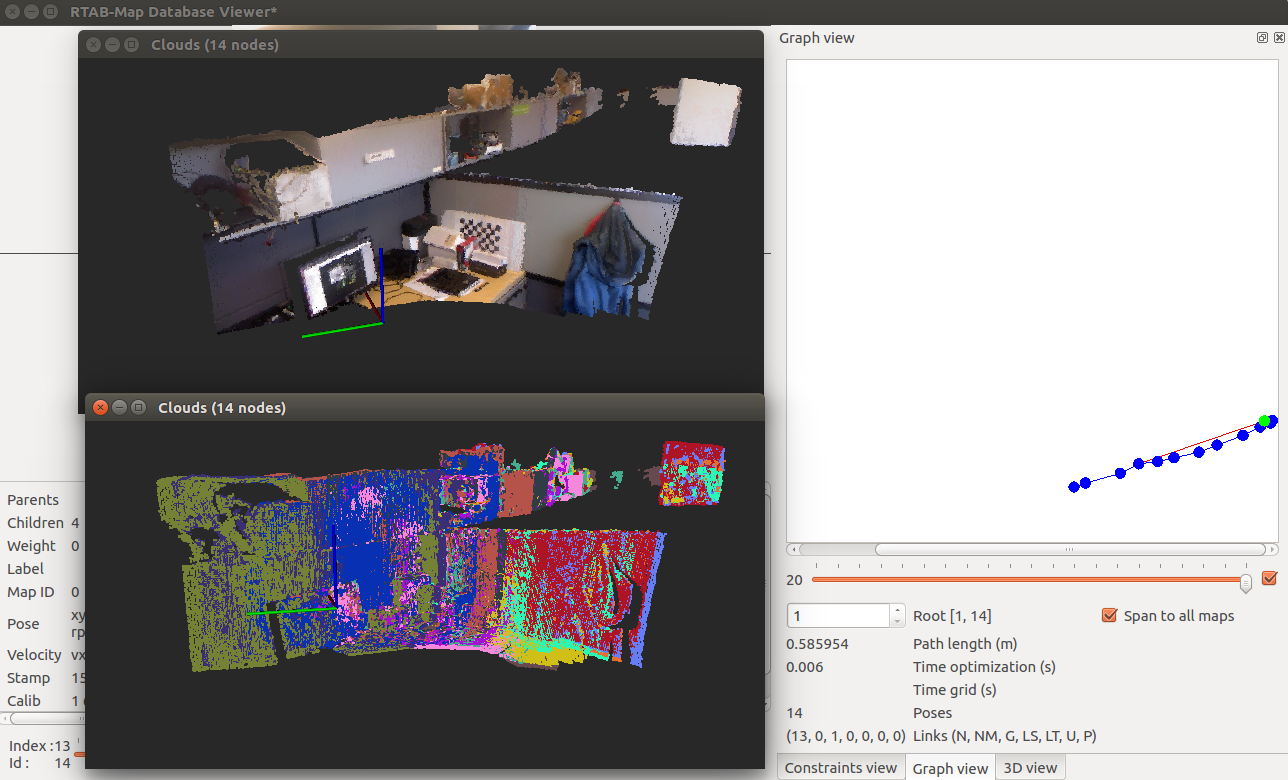 testMultiSession.db:
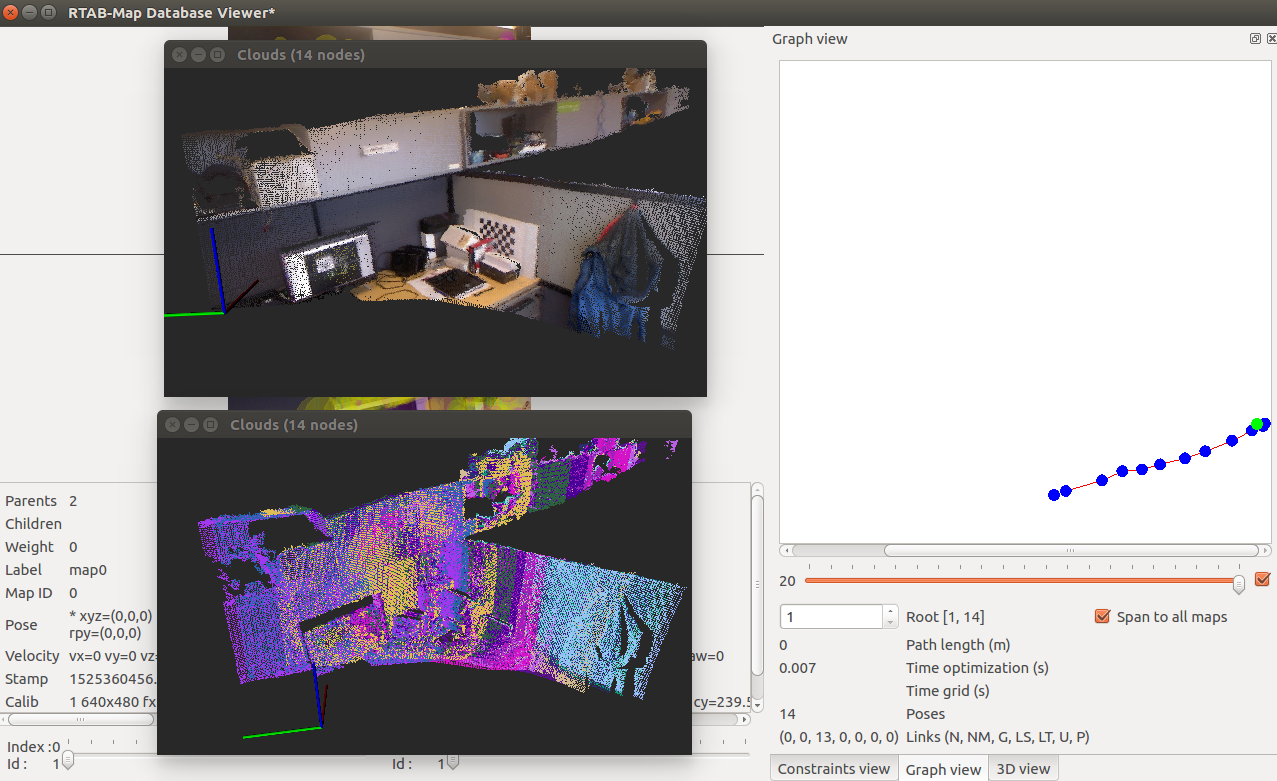 cheers,
Mathieu
| Free forum by Nabble | Edit this page |