Need some clarity on using RTABMap in Mapping mode (with regards to sensor/ loop closure tuning)


 Locked


Need some clarity on using RTABMap in Mapping mode (with regards to sensor/ loop closure tuning)
 
|
Hello, I am using rtabmap for mapping a large indoor space and the space has corridors and similar looking features. This is my current setup - I have an omnidirectional mobile robot and with zed2i in the front and a unilidar l2 at the back. The zed2i is used to extract the odometry information, and L2 lidar is used for generating the occupancy grid for mapping (as lidar pointclouds were better than zed 2i's pointclouds and hence 2d occupancy map's quality was better with lidar). Lidar is mounted vertically on the backside of the robot for context.
Now, with this as my hardware configuration, I am running rtabmap in mapping mode with DEFAULT configs, except that I am NOT using visual odometry from rtabmap (i.e., visual_odometry:=false). That is, I am NOT setting any of the rtabmap params to anything other than whatever is their default values. I get odometry information from my Zed2i camera (/zed/zed_node/odom). I am testing out mapping at various times during the day to see how good the mapping and loop closures are and if the robot can successfully map all parts of the space reliably. These are couple of questions/concerns I have about rtabmap for my setup- 1. From my experiments, I noticed that in mapping mode, it uses images from zed2i for detecting loop closures, and I was wondering if I could use other sensors like my L2 lidar for detecting loop closures too? I noticed that lidar point clouds can be used to find out when a loop closure is detected, you can restrict the map adjustments it has to make by tuning IcP/* params. Not entirely sure how to tune this. 2. Second, in my experiments, the loop closure quality was MUCH better during the day, however at evening times, or even when there are artifical lighting (during night time), the loop closures are incorrect and the map quality is generally poorer than the map quality during the day. I also understand that the rtabmap's database viewer is a tool for further optimizing, detecting loop closures, refining links, and such. I am a little confused or don't quite fully understand how to use the database viewer correctly to my advantage. My concerns are - say if I create a map which has bad loop closures, after saving the .db file, can I open that in database viewer and select specific links to correctly close the loop or further optimize to correct the map? If so, can you let me know how I can do that? I wasn't able to find good documentation or tutorials elsewhere. 3. With regards to lidar point clouds, is there a way to improve my scan quality with tuning RTABMap's params? (see screenshot for weird sprays/ artifacts in map). 4. Is there a way to tune the confidence in mapping an already mapped area of the room? This is because imagine the scenario when I am driving the robot towards the end of a long corridor. Until I reach the end, the robot would continuously create a map of the corridor. When I turn at the end, the zed odom experiences a slight drift, and say it wouldn't be a perfect (or a near perfect) 180 degree turn. This slight error in turning would propogate in mapping the same corridor while coming out of the corridor, and would cause the map to create 2 corridors (see screenshot attached). Now, my hypothesis is this would be corrected when the loop closure happens correctly, but sometimes, it doesn't. How do I deal with such scenarios? Is there a way to let rtabmap know to trust the map it has already created a little more than what its creating now? or somehow register the fact that the robot might be driving through a wall at anytime? or maybe there is something I am not aware of with regards to parameter tuning/setting. I have attached screenshots for reference. Incorrect loop closure (mapped during evening/night time) - 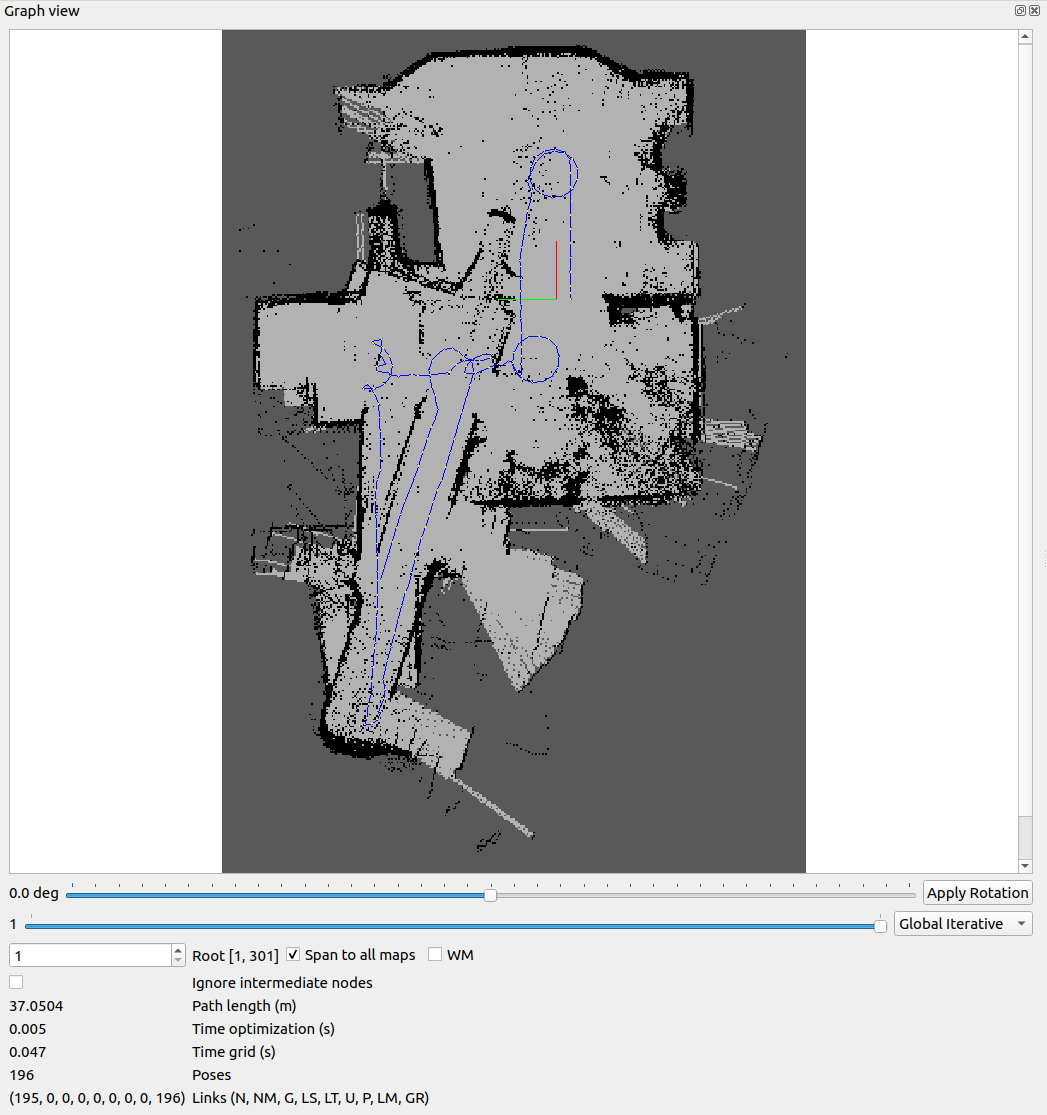 Correct loop closures (mapped during daytime) - 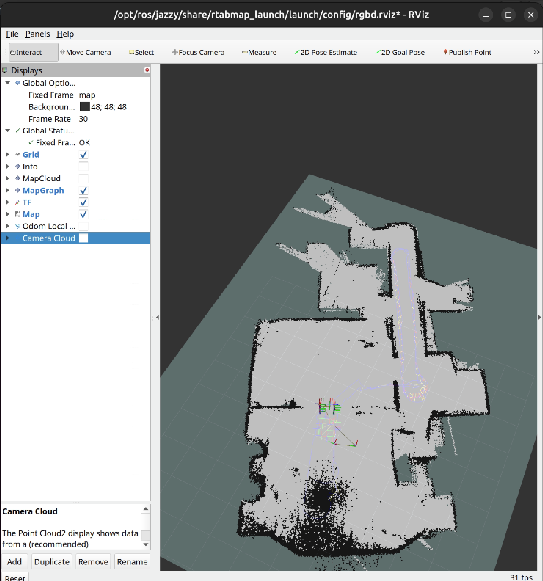 Lidar sprays - 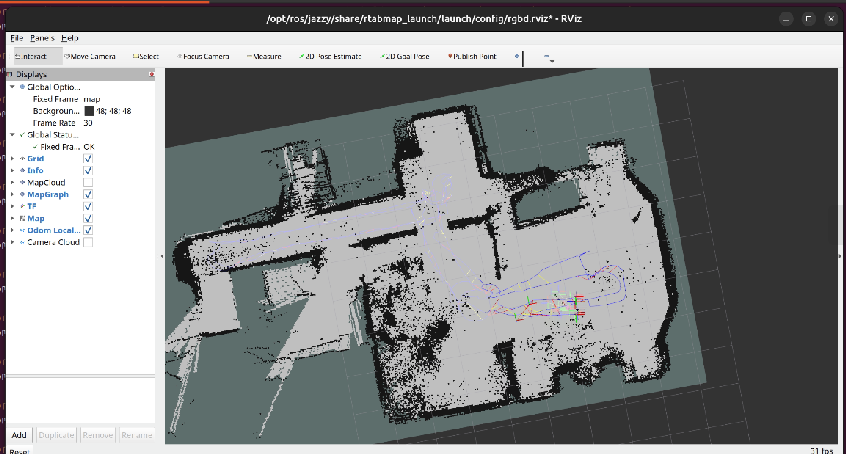 rtabmap database viewier Need HELP in understanding how to use this database viewer for tweaking my map and loop closures - 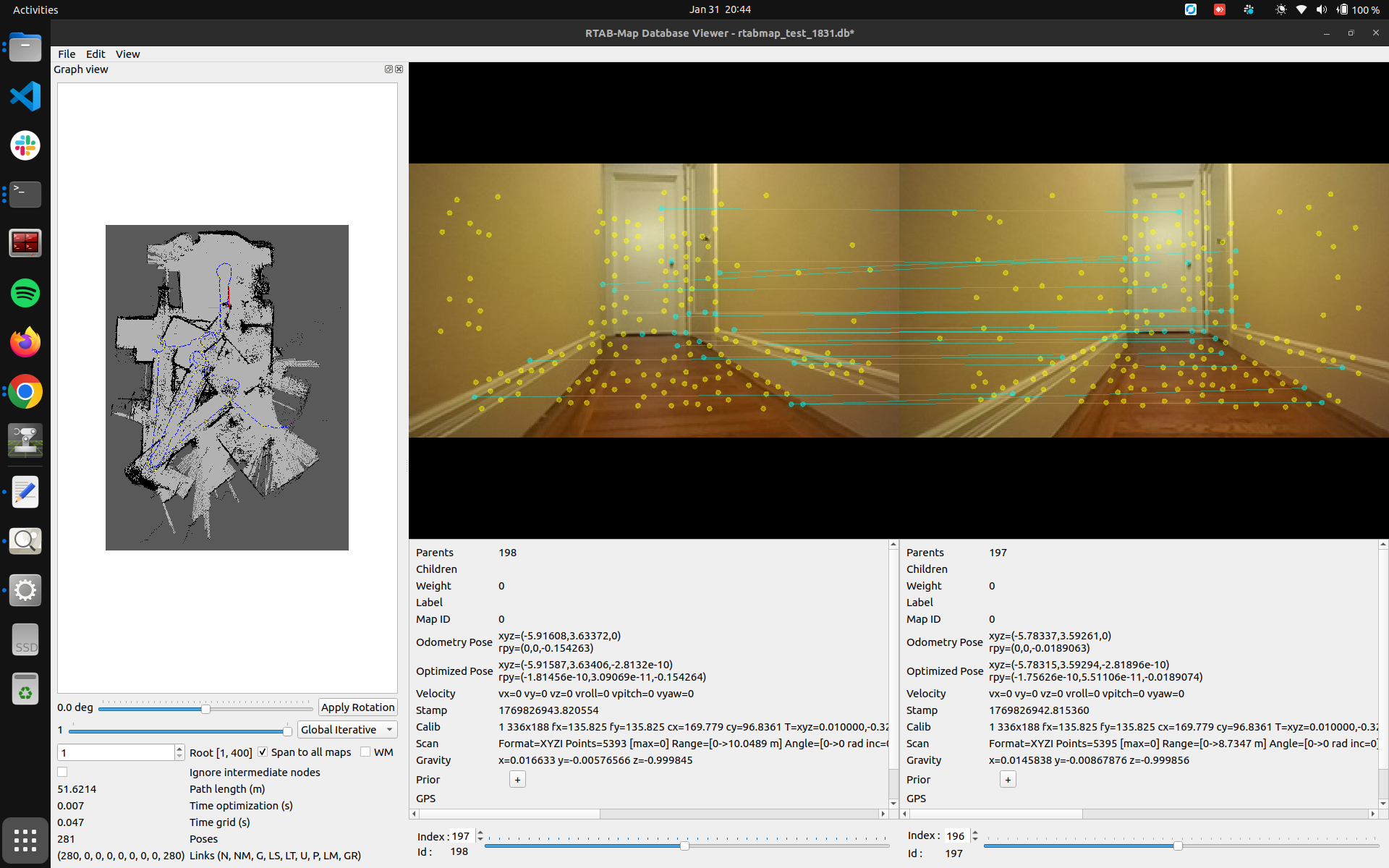 Any kind of help/ feedback would be highly appreciated. Thank you very much. |
Administrator
|
Could you share your database through a google drive or dropbox (or any other file sharing service)? I am not sure exactly what the L2 lidar point cloud looks like. With the database, it is easier to tell exactly which parameters you would need to tune.
I assume your rtabmap node is subscribing to odometry from zed driver, the camera images and the lidar's point cloud. 1. If you didn't set Reg/Strategy to 1 (ICP), proximity detections could still be detected using the lidar data. If your lidar data has always a good coverage, you could use Reg/Strategy=1 to refine the global loop closure. 2. Proximity detections with only the lidar would help in low lighting. For the wrong loop closures that are accepted, there could be some tuning to do on RGBD/OptimizeMaxError, though in general it could be more an overestimated covariance of the odometry (thus zed driver's fault). To use rtabmap-databaseViewer to remove bad links, open Graph View and Constraints View in the tool. See also https://github.com/introlab/rtabmap/issues/1168 3. IS the lidar point cloud noisy? or is it a bad segmentation between obstacles and ground? If your robot is moving on a 2D plane, you may disable normals segmentation (Grid/NormalsSegmentation=false) and just set a height threshold (e.g., Grid/MaxGroundHeight=0.1) to segment obstacles from ground. For noisy point clouds, there is also a radius filter that can be enabled (Grid/NoiseFilteringRadius). 4. proximity detections with lidar should help with that. If no proximity detections can be detected, I would need to see the database to know why. That issue is explained in Figure 4 of this paper: 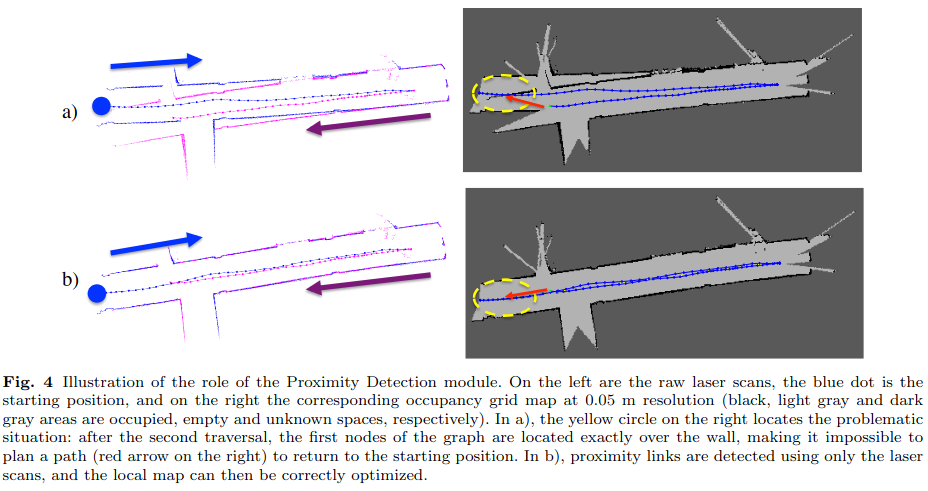
|
Re: Need some clarity on using RTABMap in Mapping mode (with regards to sensor/ loop closure tuning)
|
|
In reply to this post by Pannaga Sudarshan
Thank you for your quick response. I really appreciate it.
These are the links to my database - https://drive.google.com/drive/u/0/folders/1mcGA5Wq345EcNXUcYxJW5qgdTH6aiVva (I have shared it with matlabbe@gmail.com). The database naming convention is rtabmap_test_HHMM.db; these were created different times during the day. I will look into points 1 and 2, and for point 3 - I don't think the lidar pointclouds are noisy. I am guessing it could be that the pointclouds near reflective surfaces, or shadows are a little weird compared to non-reflective surfaces. And point 4, proximity detections with lidar was enabled if I remember correctly, but I will double check. Please let me know if you find anything in the database that I can use to tune and make my map better looking. Thank you very much. |
|
Administrator
|
The lidar scans sometimes lack of overlap between consecutive nodes, which make it difficult to fix vo drift with the lidar data. Why are some parts missing? Can you make sure the lidar driver provides always a full point cloud? Does the lidar driver do some deskewing? If we have to do deskewing, is there an IMU topic provided by the lidar? To do deskewing, you will need to record/share the rosbag of the lidar topic and imu.
Here a comparison between two consecutive scans, we see the lack of overlap because some parts are missing in each cloud. Doing ICP on this is difficult because you can get then only 2 planes (floor/ceiling + back wall) instead of 3 (there is no overlap on the side walls) to have constraints. 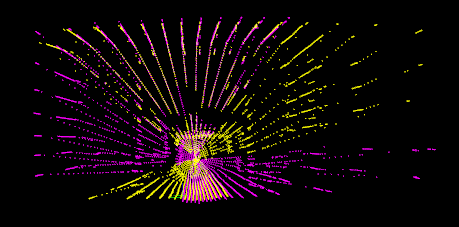 For parameters, I played a little with: RGBD/NeigborLinkRefining: false -> true Reg/Strategy: 2 -> 1 Icp/MaxCorrespondenceDistance: 0.1 -> 0.3 Icp/OutlierRatio: 0.85 -> 0.7 Icp/VoxelSize: 0.05 -> 0.1 Icp/PointToPlaneK: 5 -> 10 Icp/MaxTranslation: 0.2 -> 0.3though refining vo failed with lidar because of the case above. |
«
Return to Official RTAB-Map Forum
|
1 view|%1 views
| Free forum by Nabble | Edit this page |